RSS headlines
When the home screen is idle, configured RSS and Atom feeds show as rotating article summaries: the feed name, how recent the piece is, the title, and a short plain-text excerpt, in a single rounded card at the bottom left.
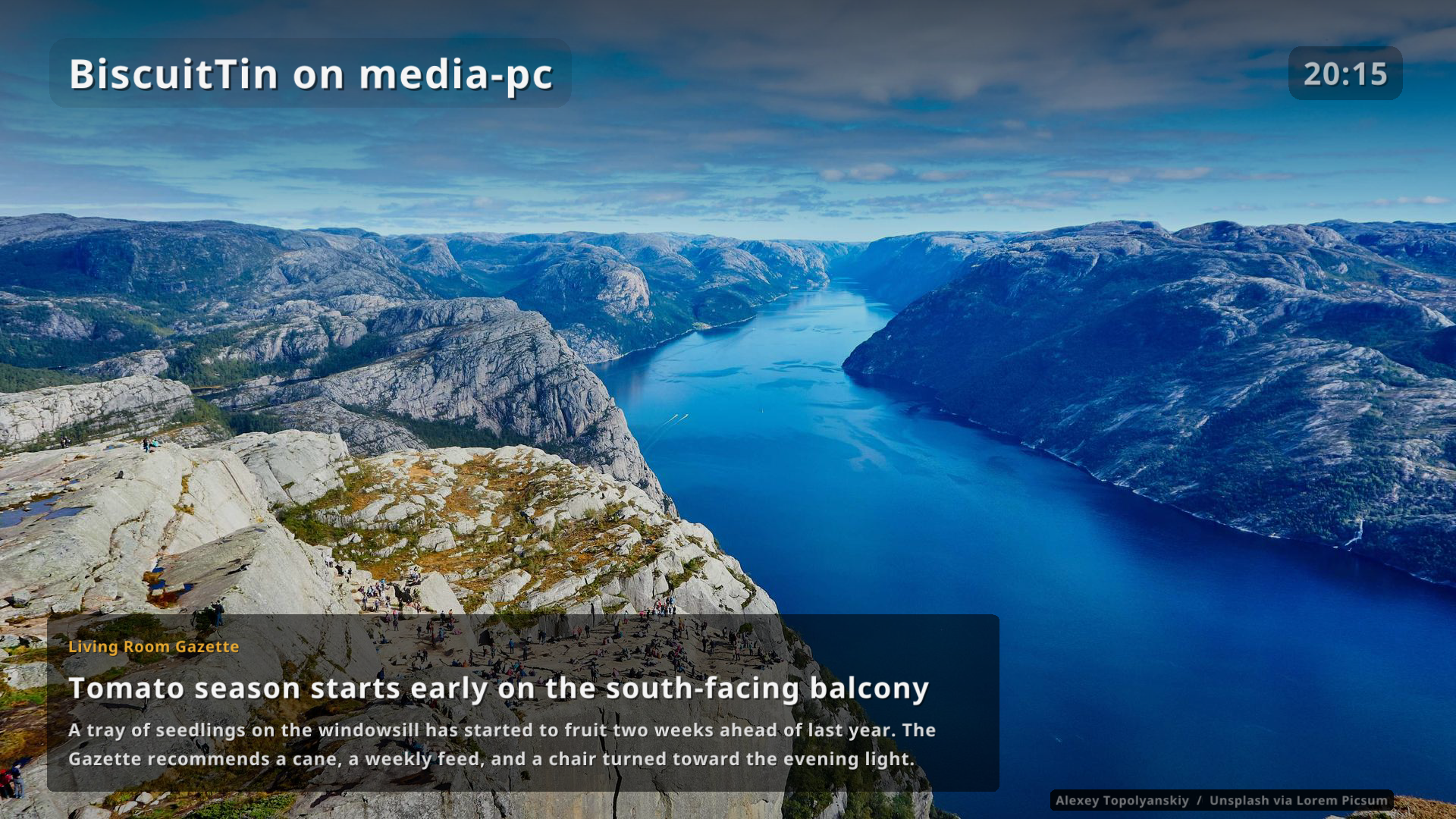
Articles slide in from the right and out to the left. Each one stays at least a minute (the same steps as the background interval, from More > Settings). An article is not shown again in the same session.
The tiles, menus and hints still fade out as usual (see idle). Headlines fade in with that transition. They are gone again as soon as any input wakes the tiles.
Configuration
Feeds are off until you add them. Each entry is an http or https URL, optionally with a display name that overrides the feed’s own title.
rss:
  interval: 900          # refresh feeds, seconds (60 to 86400)
  rotateSeconds: 60      # how long each article stays on screen (60 to 86400)
  feeds:
    - https://feeds.bbci.co.uk/news/rss.xml
    - name: The Guardian
      url: https://www.theguardian.com/uk/rss
A feed may be a URL string or {url, name}.
RSS 2.0 and Atom are both accepted.
HTML in titles and descriptions is stripped, and HTML entities and Windows-1252 punctuation are decoded.
Fetched XML is cached under ~/.cache/biscuittin/rss/ and reused when a refresh fails, so headlines keep working offline.
More > Diagnostics shows how many feeds and articles are loaded.
Leave feeds empty (or omit rss) to keep the idle screen as the photo only.