Menus and settings
The More tile, always last, opens the menus.
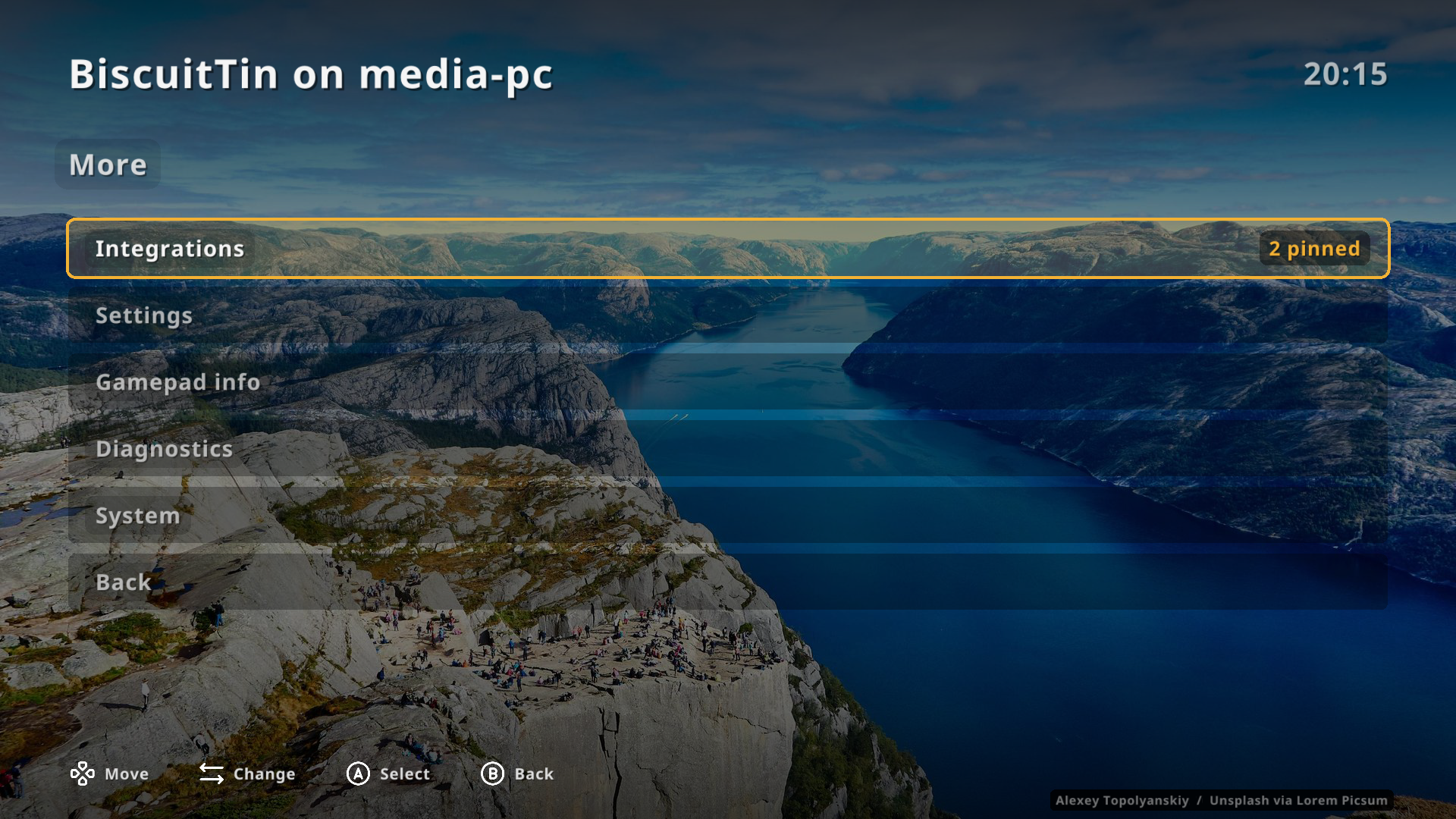
| Item | What it does |
|---|---|
Integrations |
Lists from OliveTin and Home Assistant, to pin as tiles. Shown when one is configured. |
Settings |
The settings below. |
Gamepad info |
Each connected gamepad’s name, axes and held buttons, live. |
Diagnostics |
Version, display, primary input, paths and integration addresses. |
System |
Exit BiscuitTin, or reboot or power off the machine. |
System
Exit leaves BiscuitTin (same as kbd:[Ctrl+Q]).
kbd:[Esc] on the home screen asks first, then exits.
Reboot and Power off run systemctl reboot and systemctl poweroff on the host (via flatpak-spawn --host in the Flatpak).
Both ask first: Cancel is selected, then the action.
Settings
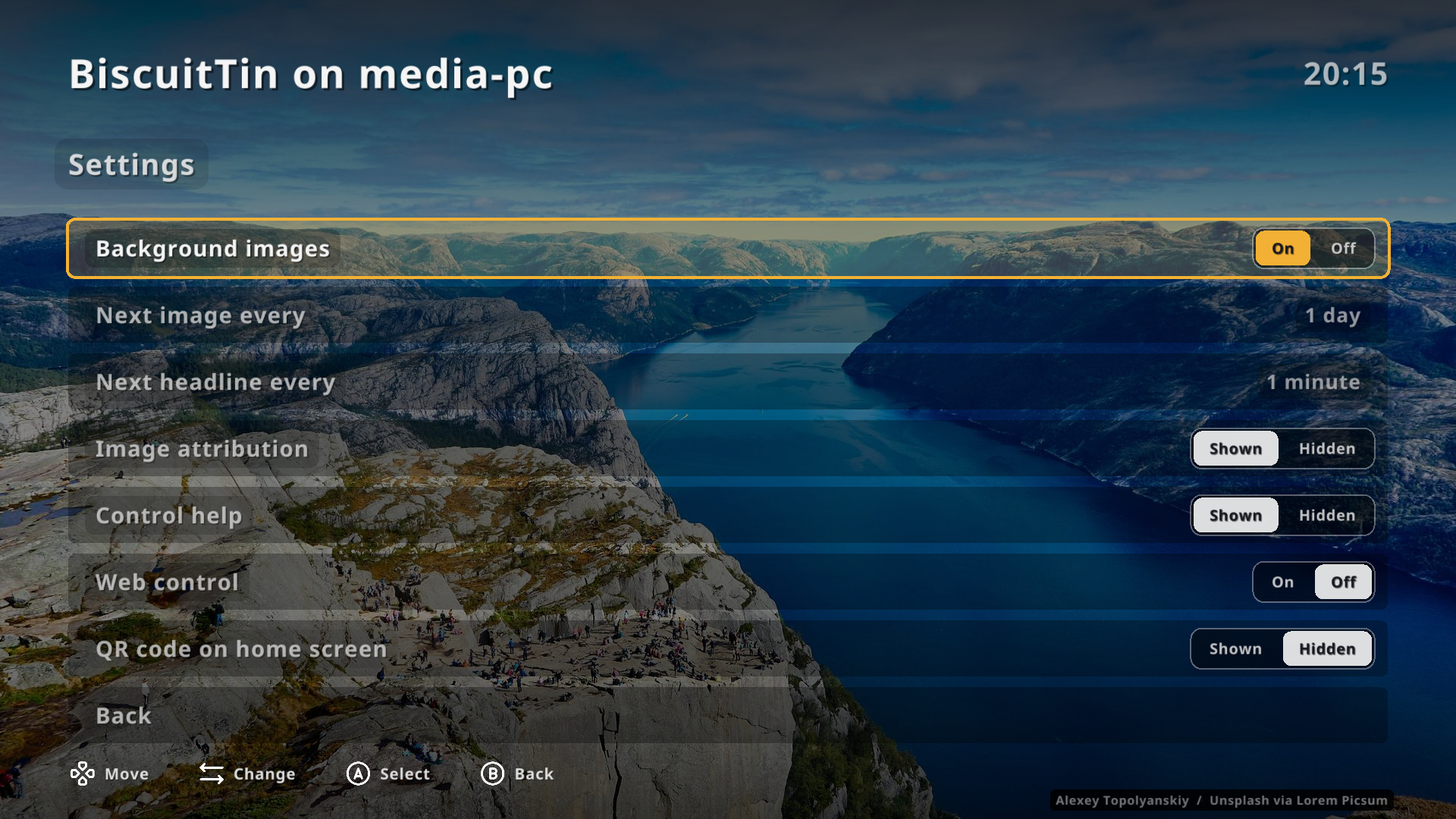
| Setting | Meaning |
|---|---|
Background images |
Show rotating background images. |
Next image every |
How often the image changes, from 1 minute to 1 day. |
Next headline every |
How long each RSS article stays on the idle screen, from 1 minute to 1 day. |
Image attribution |
Show the photographer and licence, bottom right. |
Control help |
Show the control hints in the footer. |
Web control |
Run the phone web remote. Off by default. |
QR code on home screen |
Show the web remote’s address as a QR code. Needs web control on. Off by default. |
Two-way choices are radio groups: left and right pick an option, A cycles round. Stepped values change with left and right, or cycle with A.
Choices are saved to ~/.local/state/biscuittin/settings.yaml (or $XDG_STATE_HOME/biscuittin/settings.yaml), separately from your config file.
The config file is written only when it is missing (a default to edit); on-screen settings never change it.
Saved settings take precedence over the config’s defaults.