BiscuitTin
A full-screen app launcher for TV boxes, driven by a gamepad, a remote control or the arrow keys.
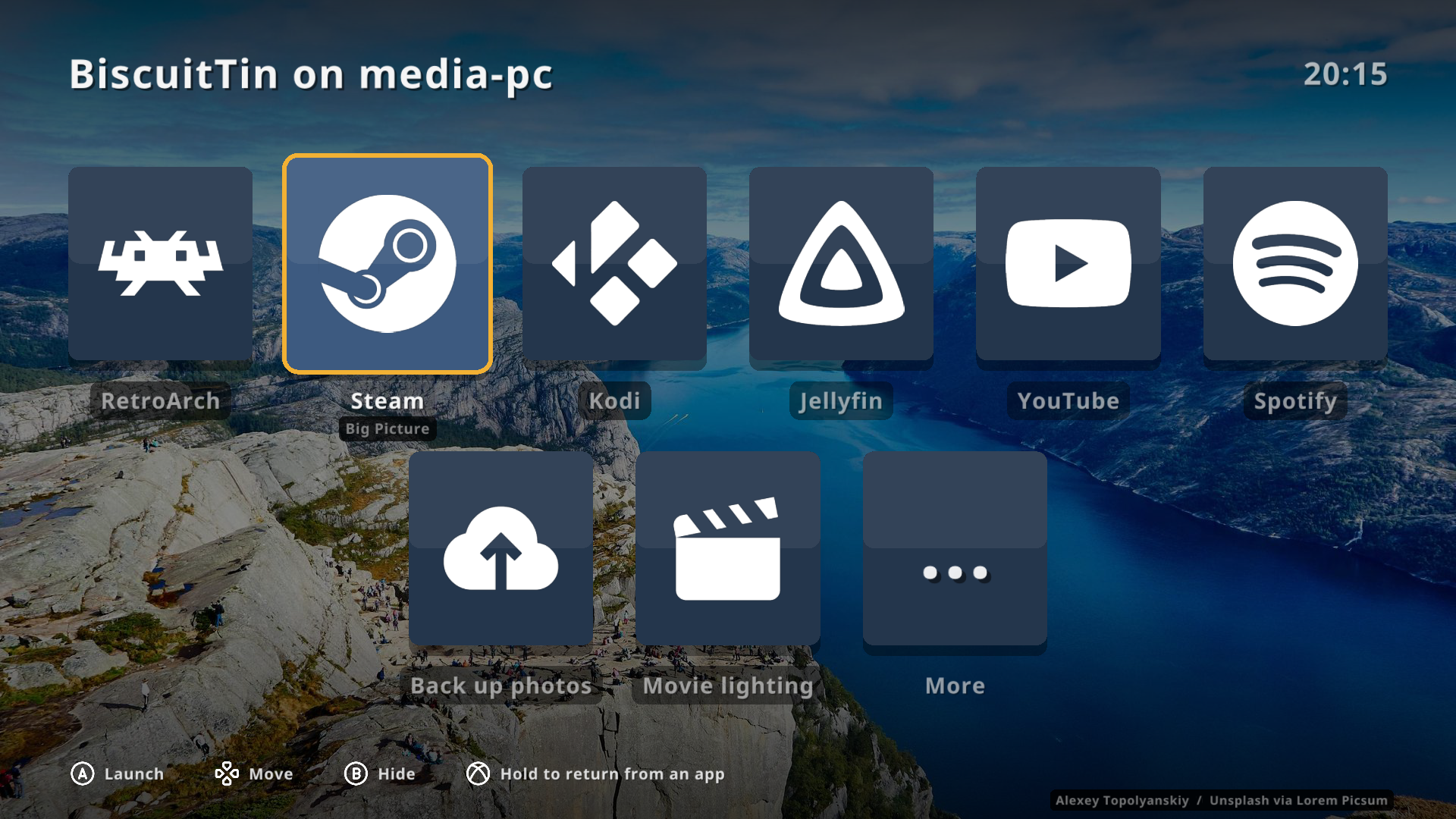
BiscuitTin turns a Linux box under the TV into something you can use from the sofa. Your games, media apps and home automations are big, readable tiles over a rotating royalty-free photo. Pick one with a d-pad and press A. It is rendered with OpenGL (via raylib-go) and configured with one YAML file.
Highlights
-
Built for a TV and a controller. Big tiles, a clock, and control hints that match whatever you last used: Xbox or PlayStation button glyphs, or keyboard keys.
-
Launches anything. Each tile runs a command, detached from BiscuitTin, and the launcher hides while the app is in front. Hold the Guide button to bring it back.
-
Icons without the hassle. Tiles find their own icons from thesvg.org by title.
-
Ambient mode. When nobody is using it, the tiles fade away to show the photo. See Background images.
-
Home automation tiles. Pin OliveTin actions and Home Assistant automations as tiles.
-
Readable everywhere. Text is checked against the photo behind it and given a backing where needed, to meet WCAG AA contrast.
-
Secure by default. The phone web remote has no login, so it stays off until you switch it on.
Next steps
-
Config examples (RetroArch, Steam, Kodi, Jellyfin, YouTube, Spotify)
This documentation site is llm.txt compatible. See llm.txt and llm-full.txt.