Security
Superusers
The first registered user in Faridoon is granted superuser permissions (SUPERUSER, Admins group). All registrations after that join the Users group with no privileges by default (they can be upgraded later).
On a public deployment, turn off open sign-ups after creating your admin account via Settings → enable registration.
Setting up a moderators usergroup
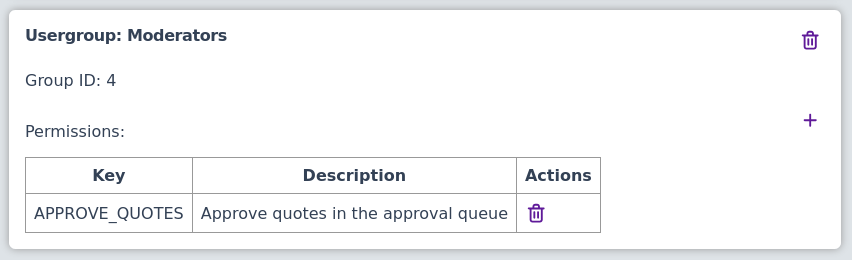
You can create a usergroup for moderators. Grant APPROVE_QUOTES (and optionally BYPASS_APPROVAL), then move trusted users into that group. It should look something like this:
Guests
Guests are not members of a group and have no privilege rows. What guests may do is controlled by Settings (cvars), not environment variables:
- enable guest add — whether logged-out visitors can submit quotes
- require approval for guest submissions — whether guest quotes wait for moderation (keep enabled on public or untrusted networks)
- enable registration — whether new accounts can be created
See Configuration for the full list of Settings keys.